Automate sprint reporting with AI tools in 2026


Automated sprint reporting tools are software platforms that use artificial intelligence to generate detailed, narrative-driven sprint reports in under two minutes, replacing a process that previously consumed 45 minutes of manual effort per cycle. If you manage Agile teams and still write sprint summaries by hand, you are spending time on a task that AI handles more consistently and at a fraction of the cost. Tools like TeamHero CLI, PilotPM, and Jira integrations with Windsor.ai now make it practical to automate sprint reporting with AI tools across teams of any size, producing outputs that serve both engineers and non-technical stakeholders without compromise.
What do you need before automating sprint reports with AI?
Effective sprint reporting automation begins with clean data and the right API access. Without both, even the most capable AI model will produce outputs that mislead rather than inform.
The core platforms you need connected are:
- Jira, GitHub, or Linear for sprint board data and ticket transitions
- Asana or Monday.com if your team tracks work outside Jira
- Slack or Confluence for automated report distribution
- An LLM connector such as Windsor.ai, which provides access to over 450 metrics for real-time sprint health analysis
That last point deserves emphasis. Access to 450-plus metrics means your AI reports can surface velocity trends, carryover rates, and blocker patterns that a manually written summary would almost certainly miss.
Pro Tip: Before configuring any AI tool, audit your Jira board for ticket hygiene. Tickets without status transitions, missing story points, or ambiguous labels will corrupt AI-generated narratives. Spend one sprint cleaning your data model before you automate.
Beyond platform access, you need API tokens with appropriate read permissions for each connected system. Most teams underestimate this step. A token with insufficient scope will silently return incomplete data, and the AI will generate a report that looks complete but omits entire workstreams.
| Platform | Integration method | Key data available | Best suited for |
|---|---|---|---|
| Jira + Windsor.ai | REST API + connector | Velocity, carryover, blockers, 450+ metrics | Mid-to-large Agile teams |
| GitHub + TeamHero CLI | CLI + GitHub API | Commit activity, PR throughput, engineering output | Engineering-focused teams |
| Asana + LLM connector | Webhook + API | Task completion, workload distribution | Cross-functional teams |
| Linear + AI summariser | Native integration | Cycle time, issue status, sprint progress | Product-led startups |
Data quality is the non-negotiable prerequisite. AI models synthesise patterns from structured inputs. If your sprint board reflects reality, the reports will too.
Which AI tools are best for sprint reporting automation in 2026?
The market for agile reporting tools has matured considerably. The tools below represent the strongest options available in 2026, evaluated on automation depth, cost, and practical fit for different team configurations.
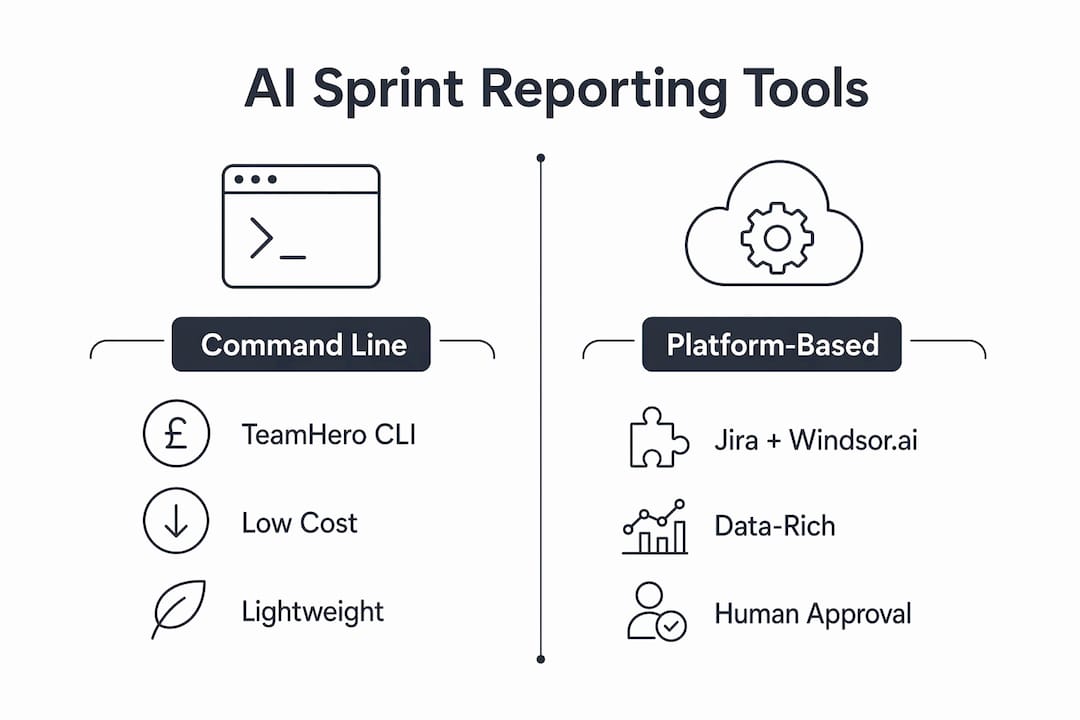
TeamHero CLI is a command-line tool that integrates GitHub, Asana, and LLMs to generate defensible engineering reports at approximately £0.02 per report. That cost model makes it viable for teams running daily or per-sprint reports without budget concerns. It suits engineering leads who are comfortable with CLI tooling and want precise, auditable outputs.

PilotPM functions as an AI project management orchestrator. It sends draft reports for human approval before distribution, which makes it the right choice for teams where stakeholder communication carries political weight. The human review queue is a feature, not a limitation.
Jira with Windsor.ai is the most data-rich option. The connector pulls from Jira’s full metric set and passes it to an LLM for narrative generation. This combination suits programme managers who need reports that speak to both delivery velocity and strategic risk.
Luna AI and the Linear Sprint Summariser serve smaller product teams. Both generate narrative summaries from board data with minimal configuration, though they offer less customisation than CLI or connector-based approaches.
Key features to compare across any sprint tracking AI tool:
- Automated narrative generation from raw ticket data
- Metric dashboards with velocity and carryover visualisation
- Blocker detection and risk flagging
- Scheduling capability for unattended report generation
- Stakeholder distribution via Slack, email, or Confluence
Pro Tip: Prioritise tools that expose their reasoning. If a report flags a velocity anomaly but does not explain which tickets caused it, you cannot act on the insight. Interpretability is not optional for senior stakeholders.
For teams evaluating how AI implementation specialists can guide tool selection, Meethayat’s analysis of AI implementation consultants provides a useful framework for assessing vendor claims against real-world deployment complexity.
How to implement AI-based sprint reporting: a step-by-step process
The implementation process follows a consistent pattern regardless of which tool you select. Deviating from this sequence is the most common cause of failed deployments.
-
Authenticate and connect your data sources. Generate API tokens for Jira, GitHub, or whichever platforms your team uses. Assign read-only permissions scoped to the relevant projects. Test each connection independently before proceeding.
-
Configure your sprint board parameters. Define the date ranges, sprint labels, and report sections the AI should include. Most tools accept a configuration file (JSON or YAML) that specifies these inputs. TeamHero CLI, for example, uses a saved config that you can version-control alongside your codebase.
-
Run a test report manually. Generate your first report by hand to validate the output quality. Check that ticket transitions are captured correctly, that carryover items are flagged, and that the narrative reflects what your team actually delivered. AI agents synthesise narratives from Jira data transitions and carryover, reducing 45 minutes of manual work to approximately five minutes of review.
-
Schedule automated generation. Once the output quality is confirmed, configure a cron job or platform trigger to run the report automatically at sprint close. Saving CLI configurations enables fully headless scheduled execution, removing the need for any manual trigger.
-
Build a human review step. Do not distribute AI-generated reports without a review gate. Assign one team member to spend five minutes checking the draft before it goes to stakeholders. This step costs almost nothing and prevents the reputational damage of a report that misrepresents delivery.
-
Distribute via your existing channels. Push the approved report to Slack, email, or Confluence depending on your stakeholder preferences. Most tools support webhook-based distribution that requires no manual copy-paste.
Pro Tip: Version-control your report configuration files. When your sprint structure changes, you need a clear record of what the AI was instructed to include. This also makes onboarding new team members to the reporting process straightforward.
What are the common mistakes when automating sprint reports with AI?
The failure modes in sprint reporting automation are predictable. Most teams encounter at least two of the following, and most could have avoided them with prior knowledge.
-
Stale or incomplete data. An AI report is only as accurate as the data it reads. Tickets closed after the sprint boundary, status updates made retrospectively, or missing story points all produce reports that misrepresent delivery. Establish a data cut-off rule and enforce it.
-
Treating AI as a reactive chatbot. High-performing teams use AI proactively as an operating layer that surfaces risks and velocity anomalies automatically, before anyone asks. Teams that only query AI when something goes wrong miss the primary value of sprint tracking AI.
-
Skipping human review. Fully automated distribution without a review step is the fastest way to lose stakeholder trust. A single report that misattributes a missed commitment will undermine months of credibility.
-
Ignoring agent context. Agents lacking persistent context produce failed or misleading reports. If your AI tool does not maintain awareness of previous sprints, carryover items, and project history, it is generating isolated summaries rather than genuine sprint intelligence.
-
Over-automating narrative tone. AI-generated text can sound generic if the tool has no context about your team’s communication style. Spend time on prompt configuration to match the register your stakeholders expect.
Transparency in AI-generated reports, including health scores and narrative commentary, is what separates tools that build stakeholder trust from those that create confusion. If your reports cannot be explained, they will not be acted upon.
The underlying principle is that automation should reduce administrative overhead, not remove human judgement. The best automated reporting software positions AI as the drafter and the team lead as the editor.
Key takeaways
Effective sprint reporting automation requires clean data, persistent agent context, and a human review step to produce reports that stakeholders trust and act upon.
| Point | Details |
|---|---|
| Time savings are substantial | AI reduces report generation from 45 minutes to under 7 minutes including review. |
| Data quality determines output quality | Audit Jira ticket hygiene before configuring any AI reporting tool. |
| Persistent context prevents failure | Choose tools that maintain project history across sprints to avoid stale outputs. |
| Human review is non-negotiable | A five-minute review gate protects stakeholder trust without negating time savings. |
| Tool selection depends on team type | CLI tools suit engineering leads; orchestrators like PilotPM suit programme managers. |
Why I think most teams are automating sprint reports the wrong way
Most Agile teams I encounter approach sprint reporting automation as a documentation problem. They want a faster way to produce the same report they have always written. That framing is the mistake.
The real opportunity is using AI as a project operating layer, not a writing assistant. When I build agentic stacks for SMEs, the sprint report is rarely the end product. It is a signal layer. The report surfaces velocity anomalies, carryover patterns, and blocker clusters that feed into resource decisions, client communications, and sprint planning. Treating it as a document to be generated quickly misses that entirely.
I have also seen teams invest in sophisticated tooling and then disable the scheduling feature because “someone needs to check the data first.” That instinct is correct, but the solution is not to reintroduce manual triggers. The solution is to fix the data model upstream so the AI has reliable inputs. The review step should validate narrative quality, not data integrity.
The teams that extract the most value from AI for sprint management are those that configure their tools to maintain persistent context across sprints. A report that knows what was carried over three sprints ago, and can flag a pattern, is categorically more useful than one that treats each sprint in isolation. That capability exists today in tools like PilotPM and full-lifecycle orchestrators. Most teams are not using it.
The future of Agile reporting is not faster documents. It is AI that participates in the sprint cycle as an active observer, flagging issues before the retrospective rather than summarising them after.
, Hayat
How Meethayat can help you automate sprint reporting

Hayat Amin builds and operates AI agents for SMEs, with a specific focus on end-to-end automation of reporting and coordination workflows. If your team is evaluating which tools to deploy, how to configure integrations, or how to build a review process that scales, Meethayat offers hands-on operator support rather than generic consultancy. The distinction matters: an AI agent operator designs, deploys, and monitors the agentic stack, whereas a consultant advises and exits. For teams that need sprint reporting automation to work reliably from day one, that difference is significant. You can explore the full comparison in Meethayat’s agent operator vs consultant guide to determine which engagement model fits your situation.
FAQ
How much time does AI sprint reporting automation save?
Automating sprint reports reduces generation time from 45 minutes to approximately 90 seconds for AI drafting plus five minutes for human review. The total time per report drops to under seven minutes.
Which platforms does AI sprint reporting integrate with?
Most AI agile reporting tools connect with Jira, GitHub, Linear, Asana, and Monday.com via REST APIs. Distribution typically runs through Slack, Confluence, or email using webhook triggers.
Do AI-generated sprint reports need human review?
Yes. Proactive AI orchestrators like PilotPM send draft reports for human approval before distribution, and this step is considered best practice. A five-minute review prevents misrepresentation and maintains stakeholder trust.
What is the cost of automated sprint reporting tools?
CLI-based tools like TeamHero generate reports at roughly £0.02 each. Platform-based solutions such as Jira with Windsor.ai carry subscription costs but provide access to significantly richer metric sets.
What is the biggest risk when automating sprint reports?
The primary risk is agent context failure. Tools that lack persistent project context produce isolated, incomplete reports. Selecting a lifecycle-aware tool and maintaining clean upstream data are the two controls that matter most.